Find Pro Vehicle Tuner
Near You or Tune Remotely

Find a dealer

Explore our map of HP Tuners’ authorized tuning shops who are trained using HP Tuners’ ECU tuning hardware and software.

tune remotely

If you don’t have a tuning shop near you, work with one remotely! Our Tune Delivery Network (TDN) and Remote Tuning Device (RTD) make it possible to work with a dealer from anywhere in the world!

*TDN Dealer

These dealers use our Tune Delivery Network (TDN) which means they offer remote tuning services so you can work with them from anywhere in the world.

HOW DO I TUNE MY VEHICLE ONCE I FIND A TUNER?

Once you find a tuning shop that fits your needs, reach out to them using the contact information found above. Make sure to let them know you found them from HP Tuners’ dealer map!

HOW DOES REMOTE TUNING WORK?

Working with a remote vehicle tuner is simpler than ever with our Remote Tuning Device (RTD) and Tune Delivery Network (TDN) solution.

FIND A TUNER
  • Get connected with a professional tuner anywhere in the world via our Dealer Map and purchase an RTD through them.

STEP UP RTD AND TDN
  • Download the free TDN app on your phone (available for iOS and Android). Connect your RTD to the app via Bluetooth.
DOWNLOAD “RESTORE” FILE
  • Download the file already on your vehicle’s ECU and send it to your tuner using the TDN app.
  • This file is referred to as the “restore” file and is usually your vehicle’s stock calibration file.
DATA LOG YOUR VEHICLE
  • Data log your vehicle’s performance on the TDN app and send that log file to your tuner.
YOUR TUNER WILL BUILD YOUR CUSTOM TUNE
  • Once your tuner has your “restore” and data log files, work with them to build a custom tune.
  • This includes communicating back and forth with your tuner to make multiple revisions through the TDN app until you have a tune that best fits you and your vehicle’s needs.
ENJOY THE DRIVE
  • After receiving the final custom tune, flash it to your vehicle’s ECU via the TDN app and enjoy the drive!
REFINE YOUR TUNE & DIAGNOSE
  • If you want a different tune file in the future, you can reach out to your tuner again and repeat this process.
  • Use your RTD and the TDN app for diagnostics on your own even after you get your new tune!

WHAT ARE RTD AND TDN?

RTD

Remote Tuning Device

HP Tuners’ RTD is the device you’ll plug into your vehicle’s OBDII port. This would be purchased through your chosen tuner.

This device allows you to access your vehicle’s control module so you can download your vehicle’s current calibration file and flash new files with the TDN app.
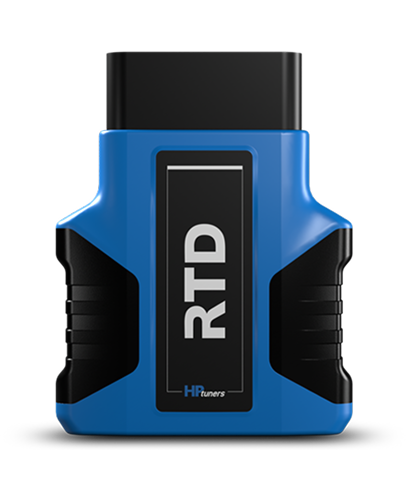
rtd
TDN

Tune Delivery Network

Free app available for iOS and Android devices

With your RTD plugged into your vehicle’s OBDII port, you’ll connect the device to the TDN app via Bluetooth.

Then, you can scan check engine codes, download your vehicle’s current calibration file, and flash custom tunes from your tuner—all within the app.
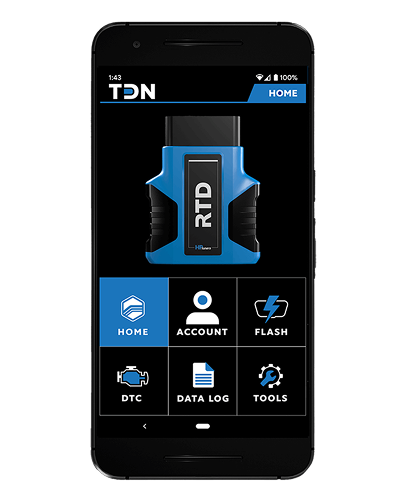
tdn

WHY RTD AND TDN FOR REMOTE TUNING?

work with a pro

If tuning your own vehicle is not for you, RTD and TDN make it possible to work with a professional tuner.

AVAILABLE WORLDWIDE

Work with your favorite tuner from anywhere in the world. Everything can be done remotely!

MAP SWITCHING

Easily switch between your race map, an economy map, and your stock file at any point using your RTD and the TDN app.

Your forever diagnostics tool

Scan codes and engine data log with your RTD even after you’ve received your final tune from your tuner.

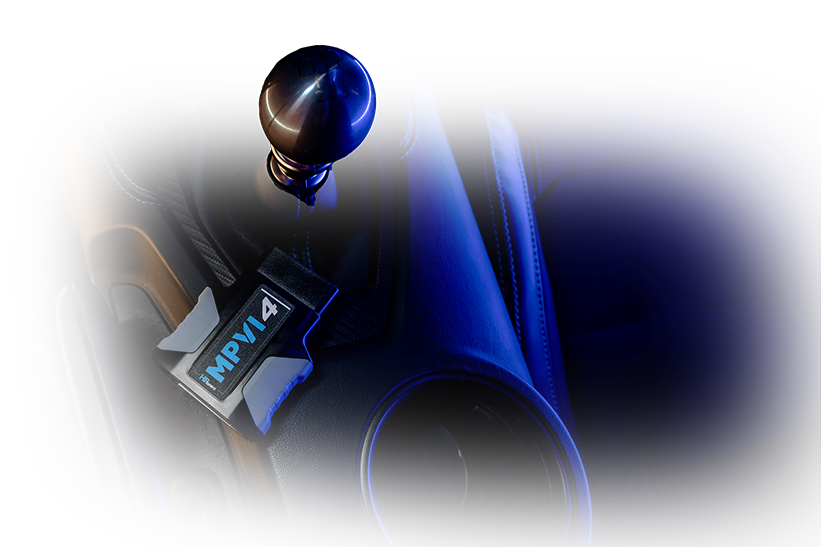
HRPT_Day3-12
website-image-shift-knob-testing-2

Start Tuning Smarter Today

Find your vehicle, get the right tools, and begin your tuning journey.